
This release includes better ways to find events, items, and fields more quickly, expanded grouping options, and performance improvements for Windows.
Find Items Within a View
You can now quickly locate and navigate to items within the current view using the new Find button in the view header.
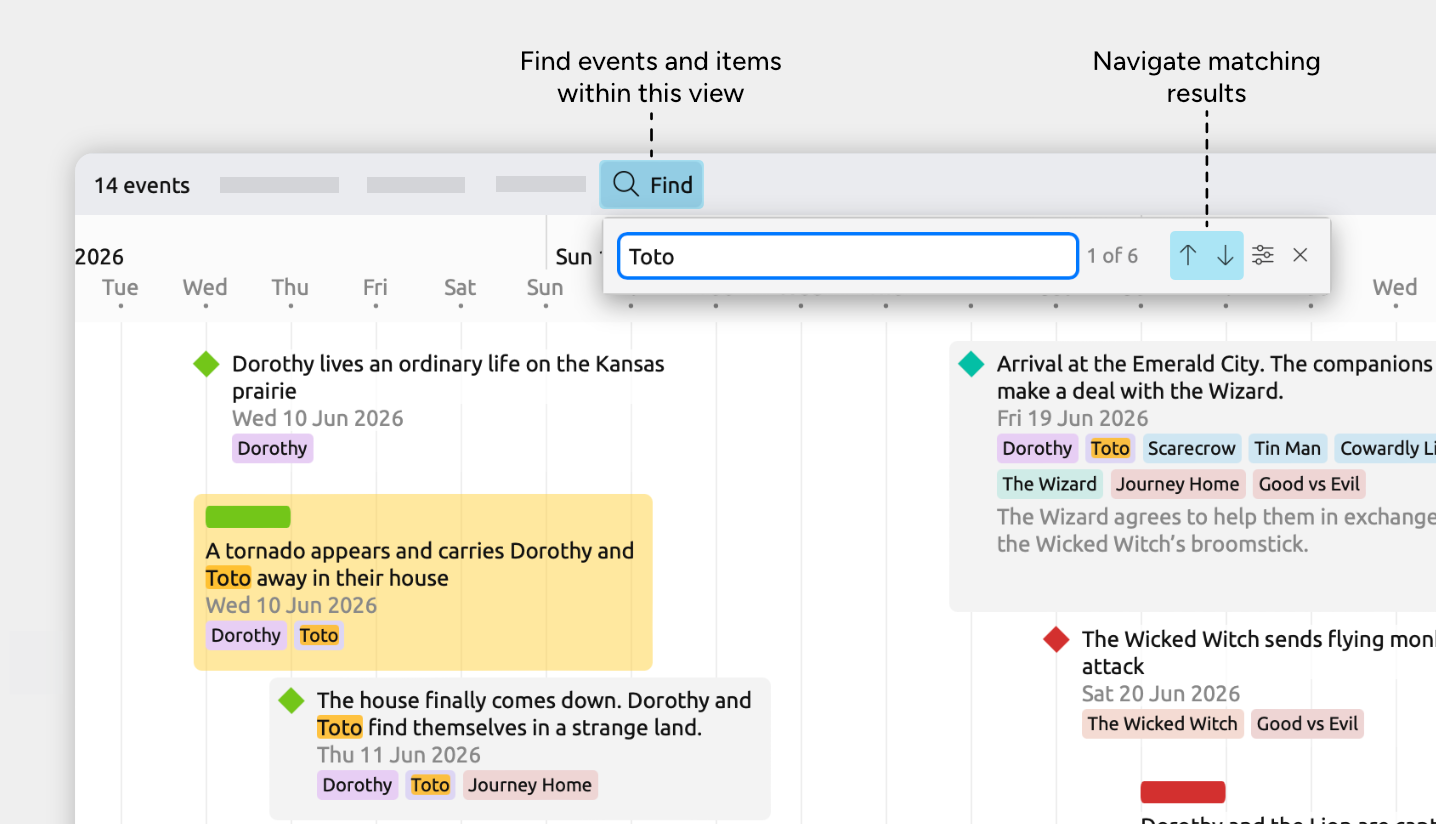
Keyboard shortcuts have also been updated:
- Cmd + F on Mac / Ctrl + F on Windows now opens Find in View
- Cmd + Shift + F on Mac / Ctrl + Shift + F on Windows opens the sidebar search panel
Search for Fields More Easily
When choosing fields in the Content panel, inspector, or settings, you’ll now see a search icon button. This lets you quickly filter long field lists and find the fields you want to show or hide.
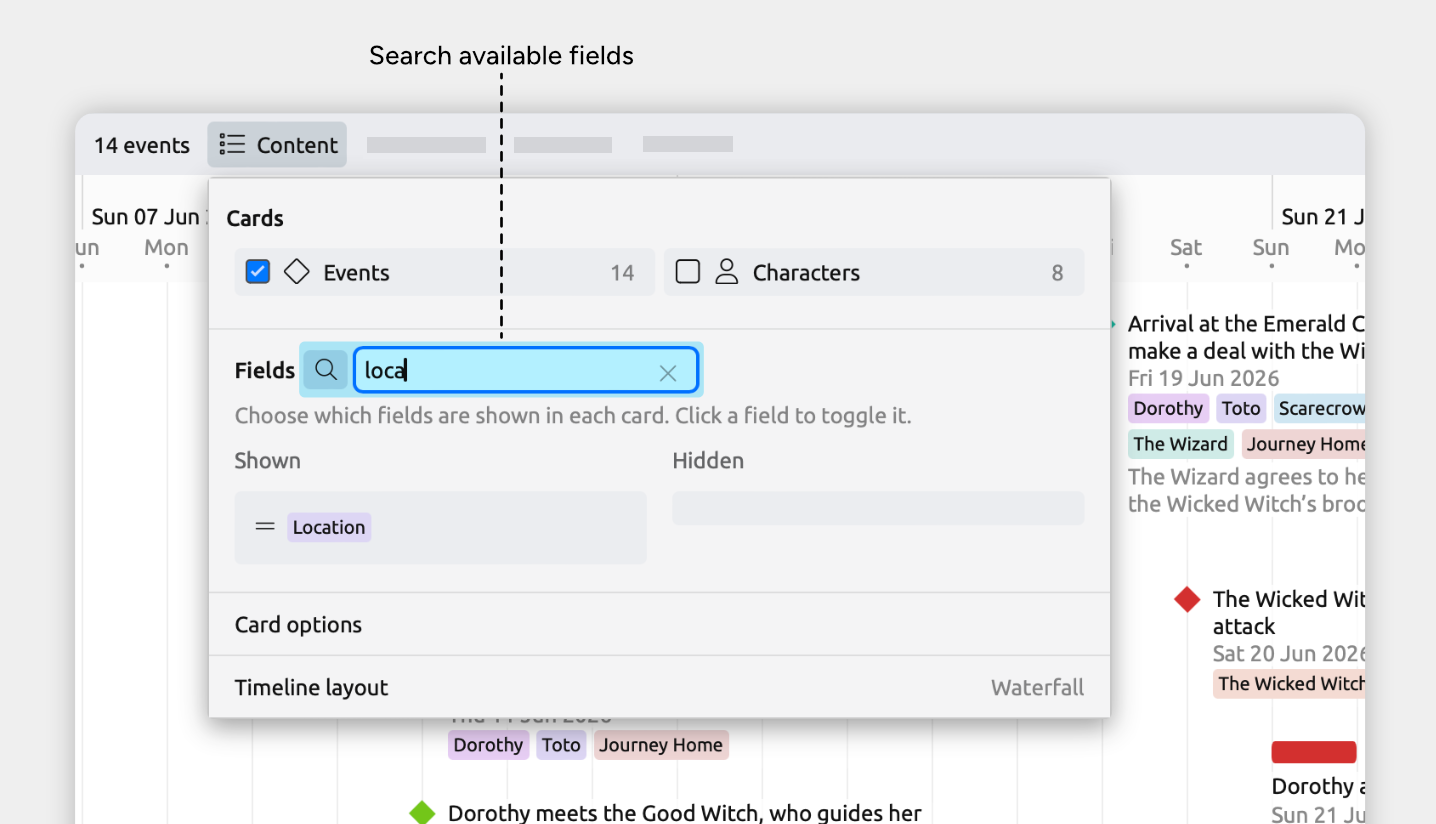
More Search Improvements
- When searching for items from the sidebar search panel, there are now more options for choosing exactly which fields to search in.
- A Find in View button has also been added to the top of the inspector, so you can navigate to that item in the current view more easily.
More Flexible Grouping
Grouping has been expanded and improved:
- You can now group by tags
- You can now group by list properties
- The view header now shows how many groups are currently shown, such as “Grouped by 5 story arcs”
- Views are now limited to a maximum of 100 groups, to help keep large files responsive
Improved Windows Performance
We’ve made several updates to improve performance on Windows. You may notice improvements to loading and response times across the app, particularly when working with larger files.
Display Fixes and Improvements
- Item cards now show a small amount of space between different text properties
- Fixed an issue where item cards could show excess whitespace or extra line breaks
- Fixed an issue where mindmaps with only a few items could start with their content off screen
- Fixed an issue where an extra floating item preview could be shown when dragging to measure the time between items in the Timeline view
- Fixed an issue where timeline items could continue to “stick” in the view after being dragged and dropped above or below the current viewport
- Fixed an issue where short labels had too much padding in the inspector on Mac, iPad, and iPhone
- Fixed an issue where the view header could become hidden on iPhone
- Fixed an issue where both the About and Settings windows could be made to appear at the same time on Mac
Editing Fixes and Improvements
- Added a Delete button to the top of the inspector to reduce scrolling
- Fixed an issue that could prevent nested events from being able to be moved to a date before the start of their containing events
- Fixed an issue where autocorrect on iPad and iPhone could cause the cursor to jump while typing
Try Aeon Timeline free for 14 days
Get Aeon Timeline and easily visualize and organize your project.